
30-Second Overview
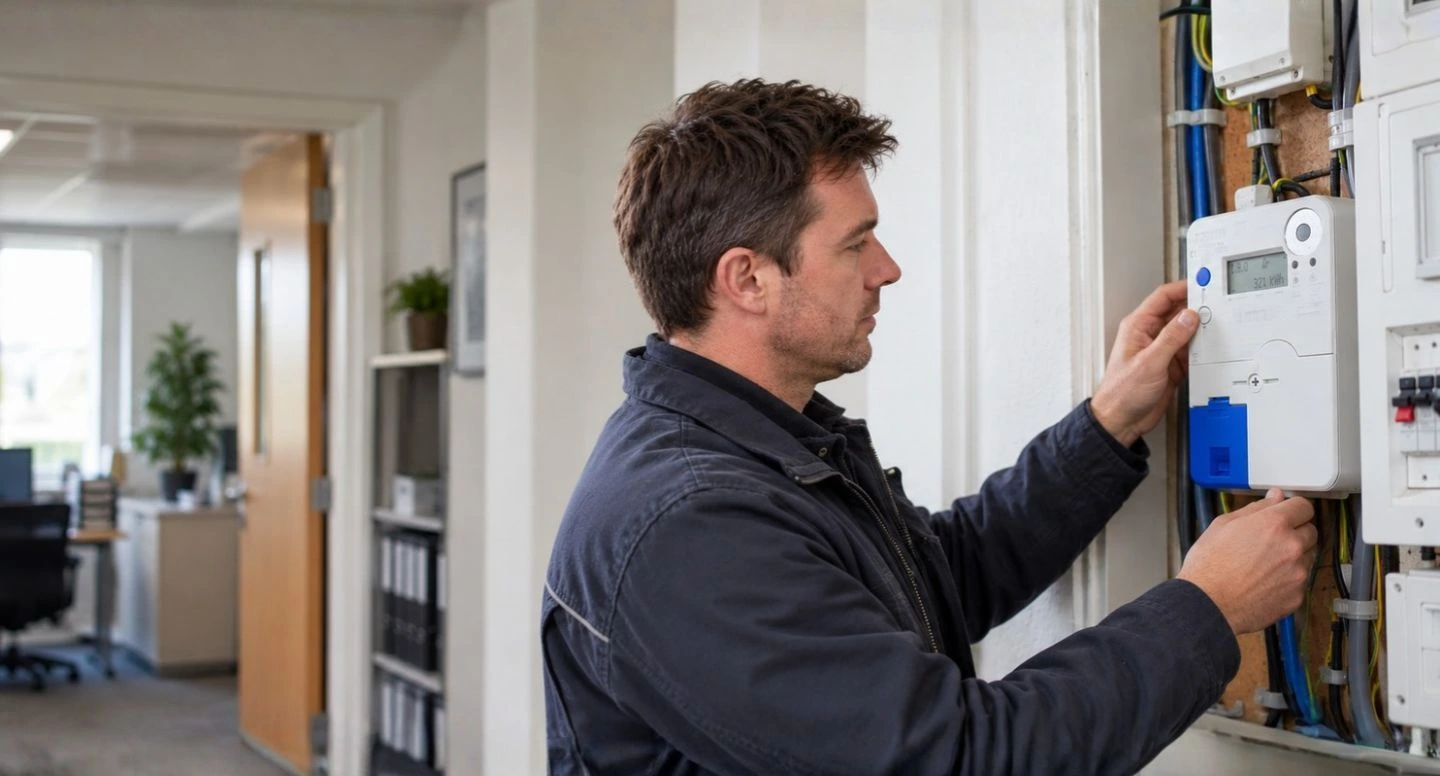
Every electricity meter in Ireland has a DG Code (Distribution Use of System Group) and an MCC Code (Meter Configuration Code). These codes identify your meter category and affect the electricity tariffs and network charges that apply to your business.
- DG Code: Identifies your electricity distribution charging group, based on the type of connection, voltage and maximum demand.
- MCC Code: Identifies your meter configuration, such as 24-hour, day/night, smart or quarter-hourly.
- Electricity prices: Different meter categories have different tariffs and network charges.
- New connections: Your DG and MCC codes help identify the electricity contracts available when activating a new meter.
Whether you're arranging a new electricity connection, switching to a smart tariff, upgrading your meter or simply checking your bills, Utilityfair's Energy Advisors can explain what your meter codes mean, compare prices from all suppliers and get you the best available electricity rates.
New Connection
Have an MPRN and need your electricity meter switched on? We'll compare supplier rates and arrange your new electricity contract.
Activate My Meter →
Smart Electricity Tariffs
Thinking of moving to a smart tariff? We'll compare the rates against your electricity usage to check whether you'll save money.
Compare Smart Tariffs →
Meter Upgrade
Upgrading your electricity meter or changing your connection capacity? We'll check the impact on your tariffs and charges.
Review My Rates →
Understand Your Bill
Not sure what your meter codes or electricity charges mean? Send us your bill and we'll check your rates against the market.
Analyse My Bill →
What Are Electricity DUoS Codes (DG Codes)?
DUoS stands for Distribution Use of System. These are the charges paid to ESB Networks for operating and maintaining the electricity distribution network, including power lines, substations and transformers.
Every electricity connection is assigned a DUoS Group (DG Code). The code identifies how the connection is classified and which network charges apply. For business electricity meters, the most common categories are:
- DG5: Low-voltage commercial connections without Maximum Demand (MD) metering.
- DG6: Low-voltage commercial connections with Maximum Demand (MD) metering.
- DG7–DG9: Higher-voltage connections used by larger energy users.
Your electricity supplier collects DUoS charges through your electricity bill and passes them on to ESB Networks. Depending on your contract, these charges are either included in your electricity rates or shown separately on your bill.
DUoS Codes Explained
| DG Code | Description |
|---|---|
| DG1 | Urban Domestic Customers |
| DG2 | Rural Domestic Customers |
| DG3 | Unmetered Public Lighting |
| DG4 | Other Unmetered Connections |
| DG5 | Low Voltage Non-Domestic Non-MD Customers |
| DG5A | Low Voltage Non-Domestic Non-MD Autoproducers (Exporters) |
| DG5B | Low Voltage Non-Domestic Non-MD Autoproducers (Importers) |
| DG6 | Low Voltage Non-Domestic MD Customers |
| DG6A | Low Voltage Non-Domestic MD Autoproducers (Exporters) |
| DG6B | Low Voltage Non-Domestic MD Autoproducers (Importers) |
| DG7 | Medium Voltage MD Customers |
| DG7A | Medium Voltage MD Autoproducers (Exporters) |
| DG7B | Medium Voltage MD Autoproducers (Importers) |
| DG8 | 38kV MD Looped Customers |
| DG8A | 38kV MD Looped Autoproducers (Exporters) |
| DG8B | 38kV MD Looped Autoproducers (Importers) |
| DG9 | 38kV MD Tailed Customers |
| DG9A | 38kV MD Tailed Autoproducers (Exporters) |
| DG9B | 38kV MD Tailed Autoproducers (Importers) |
| DG10 | 110kV MD Customers |
| TCON | Connected to the Electricity Transmission System |
Note: MD stands for Maximum Demand, which measures the highest level of electricity demand recorded over a specified interval. Autoproducers are customers who generate electricity on-site, with separate DUoS classifications for electricity imported from and exported to the grid.
What Are Electricity MCC Codes (Meter Configuration Codes)?
MCC stands for Meter Configuration Code. Every electricity meter in Ireland has an MCC code along with a DG code from the table above. The MCC code identifies how electricity consumption is measured and recorded. For business electricity meters, the main configurations are:
- 24-Hour Meters (MCC01): Electricity consumption is recorded at a single rate, regardless of the time of day.
- Day/Night Meters (MCC02): Both daytime and nighttime electricity consumption are recorded separately. Night rates are lower, but daytime rates are generally higher than standard 24-hour rates.
- Maximum Demand Meters (MCC05/MCC06): Used by larger businesses, recording electricity consumption and maximum demand to calculate the relevant charges.
- Quarter-Hourly Meters (MCC10): Electricity consumption is recorded in 15-minute intervals and automatically transmitted to ESB Networks. This provides detailed usage information for larger energy users.
- Smart Meters (MCC12/MCC16): MCC12 supports half-hourly consumption data, while MCC16 uses separate day, night and peak registers for time-of-use tariffs.
MCC Codes Explained
| MCC Code | Description |
|---|---|
| MCC01 | 24 Hour |
| MCC02 | NightSaver |
| MCC03 | 24 Hour + Night Storage Heating |
| MCC04 | NightSaver + Wattless |
| MCC05 | Day + Night + Peak Maximum Demand Meter |
| MCC06 | Day + Night + Peak Maximum Demand Meter |
| MCC07 | 24 Hour + Night Storage Heating + Wattless |
| MCC08 | 24 Hour + Wattless |
| MCC09 | Unmetered Supply - No Registers |
| MCC10 | Quarter Hour Meter |
| MCC11 | Quarter Hour Import & Export Meter |
| MCC12 | Smart Meter - Half-Hourly Consumption Data |
| MCC16 | Smart Meter - Day, Night & Peak Registers |
| MCC50 | Non Standard |
| MCC51 | NightSaver + Night Storage Heating |
| MCC53 | 2x NightSaver |
| MCC57 | 24 Hour + Day Meter |
| MCC58 | 24 Hour + NightSaver |
| MCC59 | 24 Hour + NightSaver + Wattless |
| MCC60 | 24 Hour + NightSaver + Night Storage Heating |
| MCC61 | 2x 24 Hour |
| MCC62 | 2x 24 Hour + Night Storage Heating |
| MCC63 | 2x 24 Hour + Day Meter |
| MCC64 | 2x 24 Hour + Wattless |
| MCC65 | 3x 24 Hour |
| MCC66 | 3x 24 Hour + Night |
| MCC67 | 3x 24 Hour + Day |
| MCC70 | 3x 24 Hour + Night Storage Heating |
| MCC71 | 4x 24 Hour |
| MCC72 | 3x 24 Hour + Wattless |
| MCC73 | 4x 24 Hour + Night Storage Heating |
| MCC74 | 5x 24 Hour |
| MCC75 | 24 Hour + 2x Night Storage Heating |
| MCC76 | 4x 24 Hour + Wattless |
| MCC77 | 2x 24 Hour + Wattless + Night Storage Heating |
| MCC78 | 3x 24 Hour + Wattless + Night Storage Heating |
| MCC79 | 5x 24 Hour + Night Storage Heating |
Note: MCC stands for Meter Configuration Code. NightSaver meters record daytime and nighttime electricity separately. Quarter-hourly meters record consumption in 15-minute intervals, while smart meter configurations support different time-of-use and consumption data arrangements. Wattless refers to reactive electricity metering.
Why Do DG and MCC Codes Matter for Business Electricity Prices?
Your DG and MCC codes affect the electricity tariffs available to your business and the network charges included in your bills. Two businesses using the same amount of electricity can pay different prices because they have different meter configurations and connection capacities. There are four main things to understand:
- Electricity unit rates: Your meter configuration determines whether your business can access 24-hour, day/night, smart or maximum demand tariffs.
- Network charges: Your DG code determines which ESB Networks distribution charges apply to your connection.
- Maximum Demand and MIC: Larger commercial connections have capacity and demand-related charges. Paying for more connection capacity than your business needs increases costs.
- Supplier pricing: Electricity suppliers offer different rates for different meter categories. The cheapest supplier for a DG5 meter isn't necessarily the cheapest for a DG6 or DG7 meter.
Understanding these differences is important when comparing electricity contracts, particularly if your business has recently upgraded its meter or changed its connection capacity.
Can Your Business Switch to a Smart Electricity Tariff?
Having a smart electricity meter installed does not automatically mean your business is on a smart tariff. You can remain on your existing pricing arrangement or move to an eligible smart tariff offered by your supplier.
Is a Smart Electricity Tariff Cheaper for Your Business?
Not necessarily. Smart tariffs charge different rates depending on when electricity is consumed, so the savings depend on your business's actual usage pattern.
For example, a restaurant using most of its electricity during expensive evening peak periods could pay more on a smart tariff, while a business operating overnight could benefit from lower nighttime rates.
Before activating a smart plan, Utilityfair can analyse your consumption data and compare the available smart tariffs against your existing contract to establish whether changing would reduce your annual electricity bill.
Need to Activate a New Business Electricity Connection?
If you're opening a new business premises or arranging a new electricity connection, you'll need to register with an electricity supplier before ESB Networks can energise your meter.
Once ESB Networks has issued your Meter Point Reference Number (MPRN), Utilityfair can compare electricity prices from all Irish suppliers and arrange your new electricity contract.
What Do You Need to Get Started?
Can You Avoid a Security Deposit?
Has Your Business Electricity Meter or Connection Capacity Changed?
If your business has upgraded its electricity meter, installed new equipment or changed its Maximum Import Capacity (MIC), it's worth checking whether your existing electricity contract is still suitable. Changes to your meter configuration or connection capacity can affect your DG and MCC codes, the electricity tariffs available and the network charges on your bill.
When should you review your electricity connection?
- Meter upgrades: Moving from a standard meter to a Maximum Demand or quarter-hourly meter can change your available tariffs.
- Business expansion: Installing new machinery, commercial kitchens or other electrical equipment can increase your electricity demand and require additional connection capacity.
- Reduced electricity demand: If your business no longer needs its existing MIC, reducing it can lower capacity-related charges.
- Changes to your DG or MCC code: A change in meter classification can affect how your electricity consumption and network charges are billed.
Can Utilityfair Help Reduce Your Meter Charges?
Yes. Our Energy Advisors can review your electricity bills, MIC and meter category to identify unnecessary capacity charges and check whether your current supplier rates are still competitive. Where changes to your MIC or connection are needed, ESB Networks is responsible for approving and implementing them. Utilityfair can advise on the financial implications and compare electricity contracts based on your updated requirements.
Where Can You Find Your DG, MCC and MIC Details?
Your DG Code, MCC Code and Maximum Import Capacity (MIC) identify your electricity connection and help determine the tariffs and network charges that apply to your business. You can find these details in three places:
- Your electricity bill: Check the first page, usually near your 11-digit MPRN. Your DG and MCC codes are generally listed alongside your meter details. MIC is normally shown on bills for Maximum Demand connections.
- Your ESB Networks connection agreement: For new connections or recent upgrades, your agreement sets out the approved connection capacity and relevant meter details.
- ESB Networks: If you cannot locate the information, contact ESB Networks with your MPRN and request confirmation of your DG Code, MCC Code and MIC.
What If Your Meter Details Are Incorrect?
If your DG or MCC code doesn't match your electricity connection, ask your supplier or ESB Networks to investigate. An incorrect meter classification can affect your electricity tariffs and network charges. Utilityfair can review your bill, check the rates being applied and identify discrepancies that need to be corrected.
How Utilityfair Helps Businesses Get Better Electricity Rates
Whether you're activating a new electricity connection, switching to a smart tariff or reviewing an existing contract, Utilityfair compares electricity prices from all Irish suppliers to get your business the best available rates. Our Energy Advisors will:
- Check your meter category: Review your DG and MCC codes, connection capacity and electricity usage to identify the tariffs available to your business.
- Compare all suppliers: Obtain and compare electricity rates, standing charges and other costs to establish the cheapest available contract for your meter.
- Arrange your electricity contract: Handle the supplier paperwork, whether you're activating a new connection or switching an existing supply.
- Monitor your renewal: Track your contract end date and contact you before renewal so you can compare the latest market offers.
👉 Get Started Today!
Complete our enquiry form, use the button below or call 01 547 0999 to speak directly with a Utilityfair Energy Advisor. We'll compare electricity prices from all suppliers and get you the best available rates for your meter category.




Frequently Asked Questions (FAQs)
A DG Code identifies your electricity distribution charging group and determines which ESB Networks distribution charges apply to your connection. An MCC Code identifies your meter configuration and how electricity consumption is recorded, such as 24-hour, day/night, smart or quarter-hourly metering.
Both codes are important when comparing business electricity tariffs.
DG5 applies to low-voltage commercial connections without Maximum Demand (MD) metering. DG6 applies to low-voltage commercial connections with Maximum Demand metering.
DG6 connections have different network charging arrangements, including demand and capacity-related charges. Electricity suppliers also price these meter categories differently, so it's important to compare rates for your specific connection.
Check your electricity bill, usually near your 11-digit Meter Point Reference Number (MPRN). You can also check your ESB Networks connection documentation or contact ESB Networks to confirm your meter classification.
Utilityfair can review your electricity bill and explain what your DG and MCC codes mean.
Yes, subject to the metering arrangements available for your connection and any changes required by ESB Networks.
Before requesting a change, compare the available day/night tariffs against your electricity usage. Night rates are lower, but daytime rates can be higher than standard 24-hour rates. Changing your meter configuration won't necessarily reduce your annual bill.
Yes, if your electricity connection has an eligible smart meter configuration and your supplier offers a suitable smart tariff.
Having a smart meter doesn't automatically mean you're on a smart tariff. Utilityfair can compare the available pricing options against your electricity consumption to establish whether switching would save money.
Your DG and MCC codes help identify the correct electricity tariffs for your new connection. You'll also need an MPRN issued by ESB Networks before registering with an electricity supplier.
Utilityfair can obtain supplier quotations, arrange your electricity contract and help you prepare for energisation once ESB Networks' connection requirements have been met.
Yes. If your Maximum Import Capacity (MIC) is higher than your business requires, reducing it can lower capacity-related network charges.
ESB Networks must approve changes to your MIC. Utilityfair can review your electricity bills and demand profile to assess whether a reduction makes financial sense before you request a change.
A change to your DG or MCC code can affect the electricity tariffs available to your business and the network charges applied to your connection.
If you've upgraded your meter, changed your MIC or received notice of a meter classification change, have your existing electricity contract reviewed. Utilityfair can check the new charging arrangements and compare the available supplier rates.
Both are electricity smart meter categorisations and mean that a smart meter tariff has been activated. There is usually a day rate, peak rates that applies between 5pm and 7pm, and a night rate.
Businesses should never be on DG1 or DG2. If they are, billing is incorrect.
• DG1: Urban Domestic
• DG2: Rural Domestic
• DG5 and DG6 groups: Commercial and industrial users.
• DG7: Commercial and industrial users.
Businesses that have solar panels installed will have the following DG codes:
• DG5A / DG5B
• DG6A / DG6B
• DG7A / DG7B
The A/B indicates whether the site exports or imports electricity.
Yes. Utilityfair compares all commercial electricity suppliers in Ireland. A free bill analysis takes only a few minutes and can save your business thousands annually. We ensure:
• Correct DG/MCC validation
• Access to the cheapest eligible tariff
• Avoidance of rollover or out-of-contract rates
• Full management of switching and renewals