
30-Second Overview
Electricity meters record how much electricity your business uses, measured in kilowatt-hours (kWh). Different meter types display consumption in different ways, with some recording separate day, night and peak readings.
This guide explains how to read mechanical, electronic, smart and Pay As You Go (PAYG) electricity meters, including the different commercial meter models used by Irish businesses. It also explains how to submit readings to ESB Networks where required, helping you avoid estimated bills and unexpected billing adjustments.
⚡ Reading your electricity meter correctly is important, but are you paying the best rates for the electricity you use? Accurate readings help prevent billing surprises, while competitive electricity rates help reduce your costs. Utilityfair can analyse your current bill and compare live prices from every Irish supplier. Choose an option below to see how much your business could save. 👇
Is Your Electricity Bill Costing Too Much?
Upload a recent electricity bill for a free analysis of your current unit rates, standing charges and annual consumption. We'll identify potential savings, showing whether your business is paying competitive electricity prices.
Analyse My Bill →
Could You Get a Better Electricity Rate?
Utilityfair compares live electricity prices from every Irish supplier, calculates the full annual cost of each offer and ranks the options from cheapest to most expensive. See how much your business could save by switching.
Compare Electricity Prices →
How to Read Your Electricity Meter
The method for reading your electricity meter depends on the type installed at your premises. Some meters display a single reading, while others record separate day, night and peak consumption. Smart meters and many larger commercial meters transmit readings automatically. There are four main types of electricity meters:
- Mechanical meters: Older meters with rotating discs and numerical displays.
- Electronic meters: Digital meters that display electricity consumption across one or more meters.
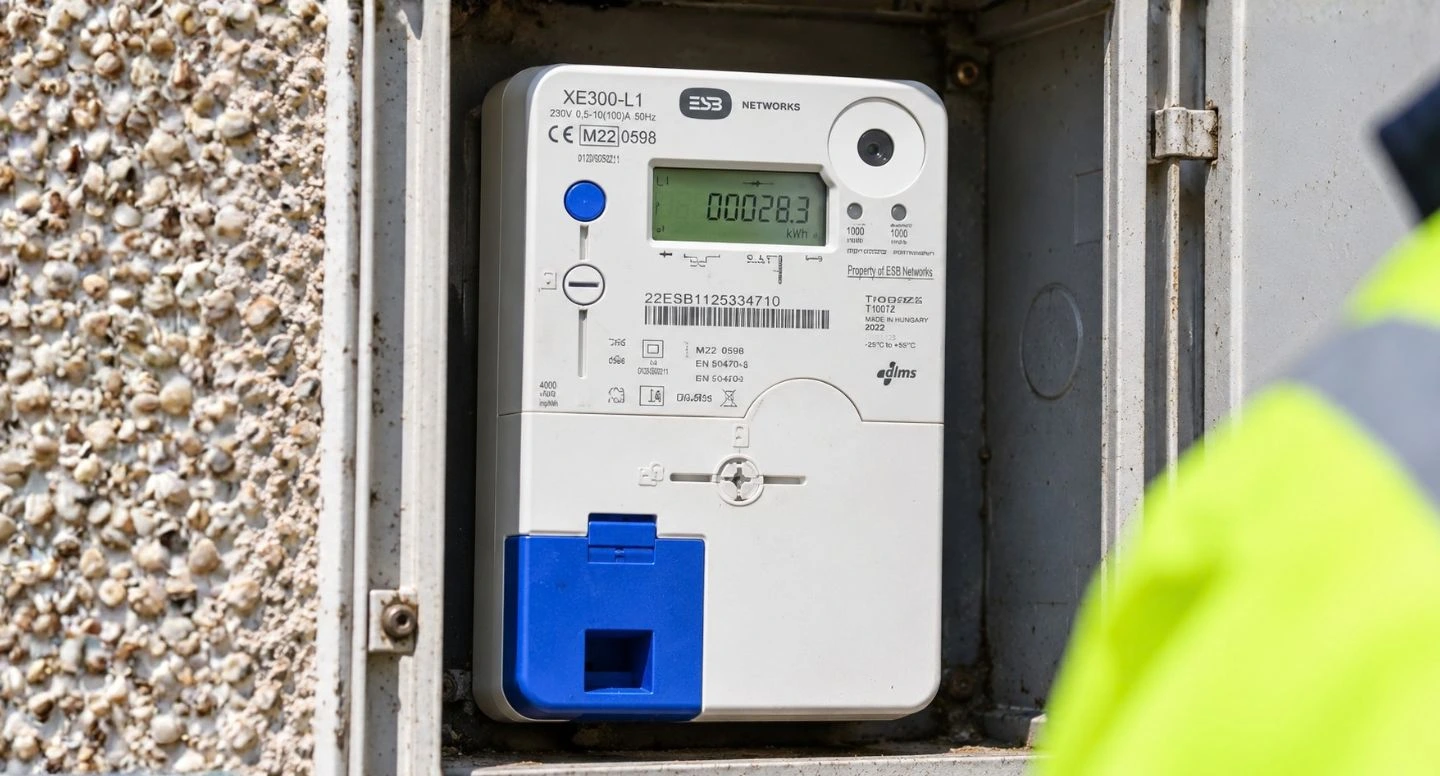
- Smart meters: Digital meters that automatically transmit consumption data to ESB Networks when connected to the communications network.
- Pay As You Go (PAYG) meters: Prepayment meters that allow customers to purchase electricity credit in advance.
The sections below explain how to identify each meter type and record the correct readings.
Reading Mechanical Electricity Meters
Mechanical electricity meters use a rotating disc and numerical dials to record electricity consumption. There are three main types: 24-hour, day and night, and wattless meters. The instructions below explain how to read each type.
24-Hour Meter
A 24-hour meter records electricity consumption on a single meter, measured in kilowatt-hours (kWh).
How to read:
Day and Night Meter
A day and night meter records electricity consumption separately during daytime and night-time hours.
How to read:
Wattless Meter
A wattless meter measures reactive energy (kVArh), which can result in additional charges on business electricity bills.
How to read:
Reading Electronic Electricity Meters
Electronic electricity meters use digital displays to record electricity consumption. Different models display readings using specific codes or screens, including separate day, night and wattless readings. The instructions below explain how to identify and read the most common electronic meters used by Irish businesses.
Basic Electronic Electricity Meter
Basic electronic meters have a digital display and typically a blue button used to scroll through readings.
How to read: Press the button to display the relevant reading.
Ignore any arrow (>) symbol when recording your readings.
ABB Vision / Elster A1700
This meter has RM numbers: 548, 549, 645, 647, 650. The RM number is located at the bottom left of the meter.
How to read: The display changes automatically every nine seconds.
Important: Check the last reset date on screen 12. If the meter was not reset during the current month, a valid Maximum Demand reading cannot be taken.
ABB / GEC PPM Meter
This meter has RM numbers: 545, 667. The RM number is located at the bottom left of the meter.
How to read: The display automatically scrolls through 13 screens, changing every six seconds.
Contact your electricity supplier if you need assistance with Maximum Demand readings.
Elster A1140 / A1120
This meter has RM numbers: 648, 651, 627, 553, 551. The RM number is located at the bottom left of the meter.
How to read: The display may scroll automatically. If it does not, press the button to move between screens.
Record the readings from left to right, ignoring any digits after the decimal point.
ISKRA MT173
This meter has RM numbers: 649, 552. The RM number is located at the bottom left of the meter.
How to read: The display may scroll automatically. If it does not, press the button to move between screens.
Record the readings from left to right, ignoring any digits after the decimal point.
Reading Smart Electricity Meters
Smart electricity meters record electricity consumption digitally and automatically transmit readings to ESB Networks when connected to the communications network. They display total consumption and, where applicable, separate day, night and peak readings. The instructions below explain how to read these displays.
How to Read a Smart Electricity Meter
How to read: Press the button on your smart meter to scroll through the available readings.
Record the relevant readings from left to right, ignoring digits after the decimal point.
Important: Smart meters normally transmit readings automatically. Manual readings may be required if the meter is not communicating with ESB Networks.
Reading Pay As You Go (PAYG) Electricity Meters
Pay As You Go (PAYG) electricity meters allow customers to purchase electricity credit in advance. These meters typically have a digital display and keypad for checking remaining credit, recording electricity consumption and entering top-up codes. The instructions below explain how to use these functions.
How to Read a PAYG Electricity Meter
How to read: Use the keypad to access your meter information and electricity consumption.
Important: Keypad instructions vary between meter models. Refer to your supplier's instructions if your meter uses different display codes.
How to Top Up a PAYG Electricity Meter
How to top up: Use the keypad on your PAYG electricity meter to enter your top-up code.
Important: These instructions apply to compatible keypad meters. Other PAYG models may use different top-up methods.
Are You Paying Too Much for Business Electricity?
Understanding your electricity meter readings helps you monitor consumption and check that your bills reflect the electricity your business uses. However, accurate readings don't necessarily mean you're paying competitive electricity rates.
Utilityfair compares business electricity prices from every Irish supplier to secure the most competitive rates for your business. Our Senior Energy Advisors will review your current electricity bills, analyse your consumption and provide a full comparison of available tariffs, including fixed-price contracts and wholesale tracker options.
With over 20,000 active business customers, Utilityfair has helped businesses reduce their electricity costs by up to 55%.
👉 Get a Free Comparison
Fill out our enquiry form using the buttons below or call 01 547 0999 to speak with a Utilityfair Energy Advisor and start saving.




Frequently Asked Questions (FAQs)
To read your electricity meter, identify whether it is mechanical, electronic, smart or Pay As You Go (PAYG). Read the numbers displayed in kilowatt-hours (kWh) from left to right, ignoring decimal digits where applicable. If your meter has separate day and night registers, record both readings individually.
You can submit electricity meter readings through ESB Networks or directly to your electricity supplier. You will generally need your Meter Point Reference Number (MPRN), the meter reading and the date it was taken. Smart meters normally transmit readings automatically when connected to the communications network.
Regular meter readings ensure: (i) accurate bills (no estimates), (ii) better control over consumption, (iii) early detection of usage spikes, and (iv) more accurate tariff comparisons, helping you choose the cheapest business energy plan.
If an actual meter reading is unavailable, your electricity supplier may issue an estimated bill based on previous consumption. This can result in your business paying more or less than the electricity it has actually used. Providing an accurate reading allows your bill to be adjusted to reflect actual consumption.
Day and night electricity meters have separate registers for electricity consumed during different tariff periods. Mechanical meters generally have labelled registers, while electronic meters use display codes to identify day and night consumption. Check the labels or codes on your meter and record each reading separately.
Smart electricity meters automatically transmit consumption data to ESB Networks when connected to the communications network. This normally removes the need to submit manual readings. However, if your smart meter is not communicating, you may still need to provide a reading to avoid estimated bills.
A wattless meter records reactive energy consumption in kilovolt-ampere reactive hours (kVArh), rather than standard electricity consumption in kWh. Reactive energy charges can apply to certain commercial electricity accounts, particularly businesses with motors, refrigeration or other equipment that affects power factor.
If your electricity meter display is blank, flashing, or unreadable, contact ESB Networks immediately. You can also notify your supplier, who will log a service call with ESB Networks. Do not attempt to repair or open the meter yourself. ESB will arrange an inspection or a replacement if required.
For the most accurate bills, submit a reading every month or at least every billing cycle. Businesses with fluctuating usage (hospitality, retail, manufacturing) may benefit from submitting readings more frequently.
Businesses get estimated bills when ESB Networks cannot collect a reading, and no customer reading is submitted. Estimates can lead to overcharging or undercharging, so providing regular readings prevents unexpected corrections later.
Yes. An incorrect or outdated electricity meter reading can cause inaccurate billing. This can lead to higher charges if the reading is over-estimated, or large adjustments on your next bill. Always double-check before submitting.
Upload a recent electricity bill to Utilityfair for a free energy analysis. We compare every supplier, negotiate the best available rates, manage the switch, and monitor your renewal date - saving your business time, hassle, and potentially thousands each year.